Quick navigation
Start with the install steps, pick one provider, then read the explanation after the setup is working.
Step 1: Install Free Claude Code
Install Claude Code first if you do not already have it. Then run the Free Claude Code installer from the GitHub project.
$ curl -fsSL "https://github.com/Alishahryar1/free-claude-code/blob/main/scripts/install.sh?raw=1" | sh
On Windows, use the PowerShell installer instead.
PS> irm "https://github.com/Alishahryar1/free-claude-code/blob/main/scripts/install.ps1?raw=1" | iex
Step 2: Start the local proxy
Start the server and keep this terminal running while you use Claude Code.
$ fcc-server
Open the Admin UI after the server starts. The port is usually 8082, but use whatever your terminal shows if yours is different.
Step 3: Pick one provider
Choose one route first. Do not configure all of them at the same time when you are just testing.
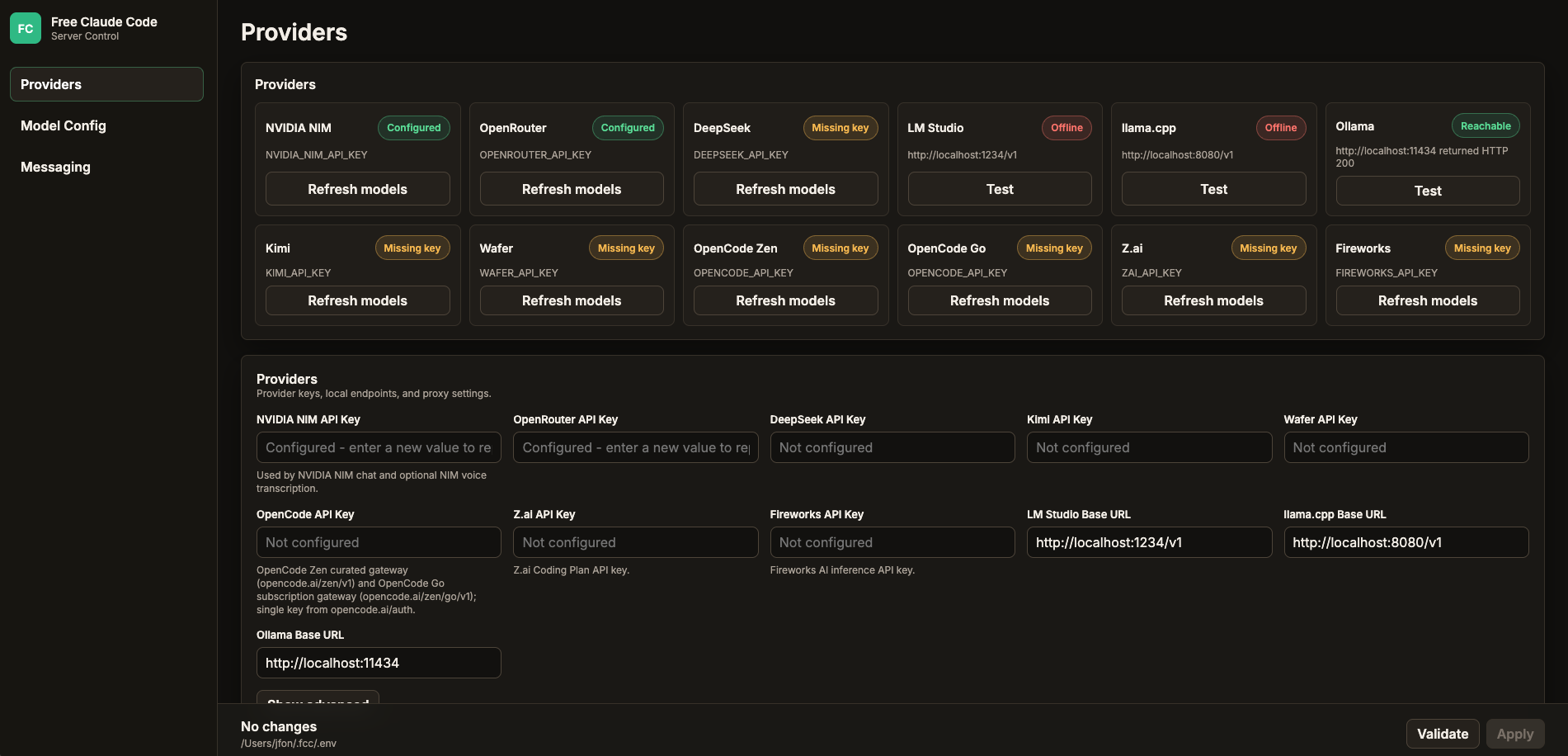
- Ollama: local route, no API bill, limited by your computer and model quality.
- NVIDIA NIM: hosted route, API key required, good for testing free endpoint models.
- OpenRouter: flexible cloud route, useful for trying free or cheap models.
Route A: Ollama
This is the best route if your goal is no API bill. Open the Ollama download page, choose the version for your operating system, then run a local model on your machine.
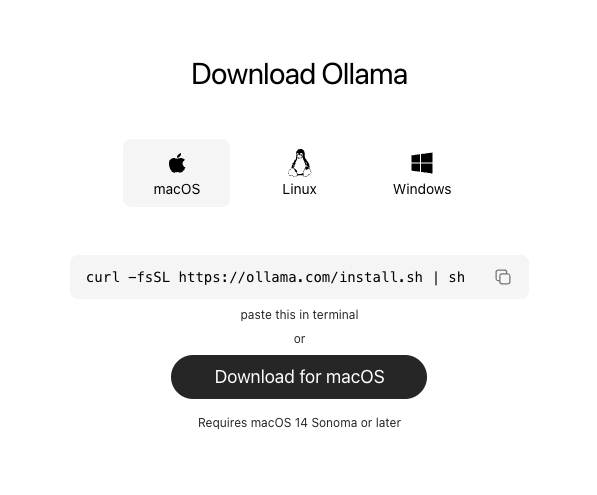
Pull a model, then start Ollama.
$ ollama pull gemma4
$ ollama serve
In the Admin UI, keep OLLAMA_BASE_URL as the Ollama server root. Do not add /v1 at the end.
Then set Default Model to the Ollama model slug. Example: ollama/gemma4.
Route B: NVIDIA NIM
Use this route if you want a hosted model and an API-key setup. Start by creating an NVIDIA NIM API key.
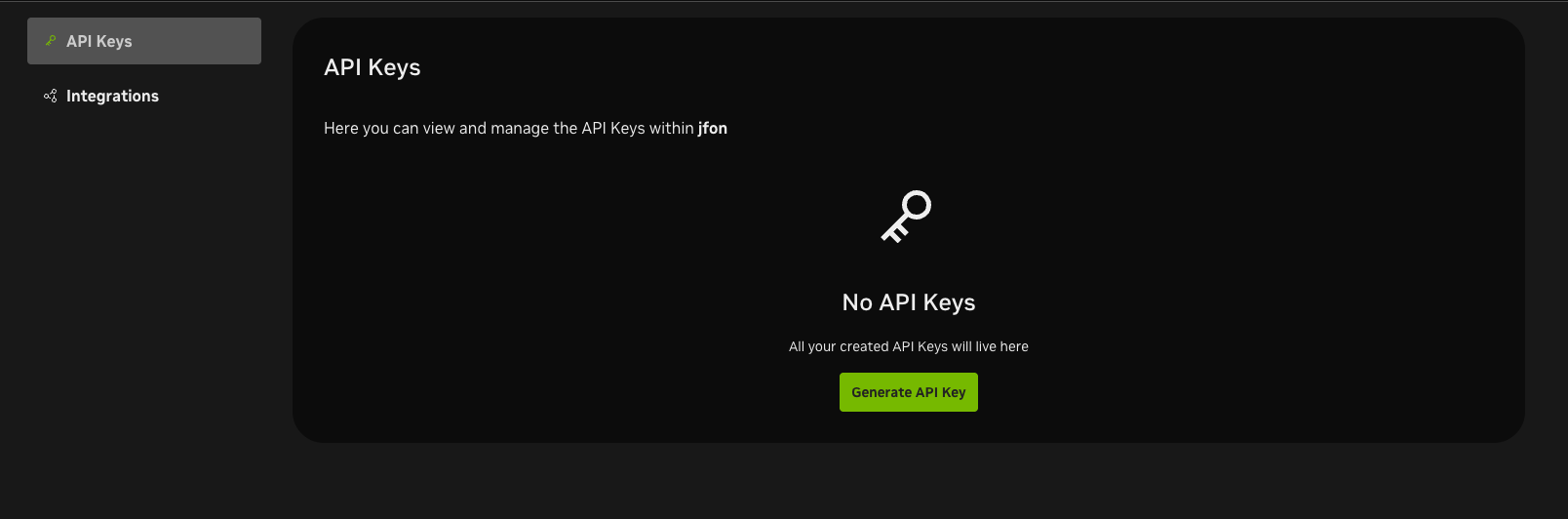
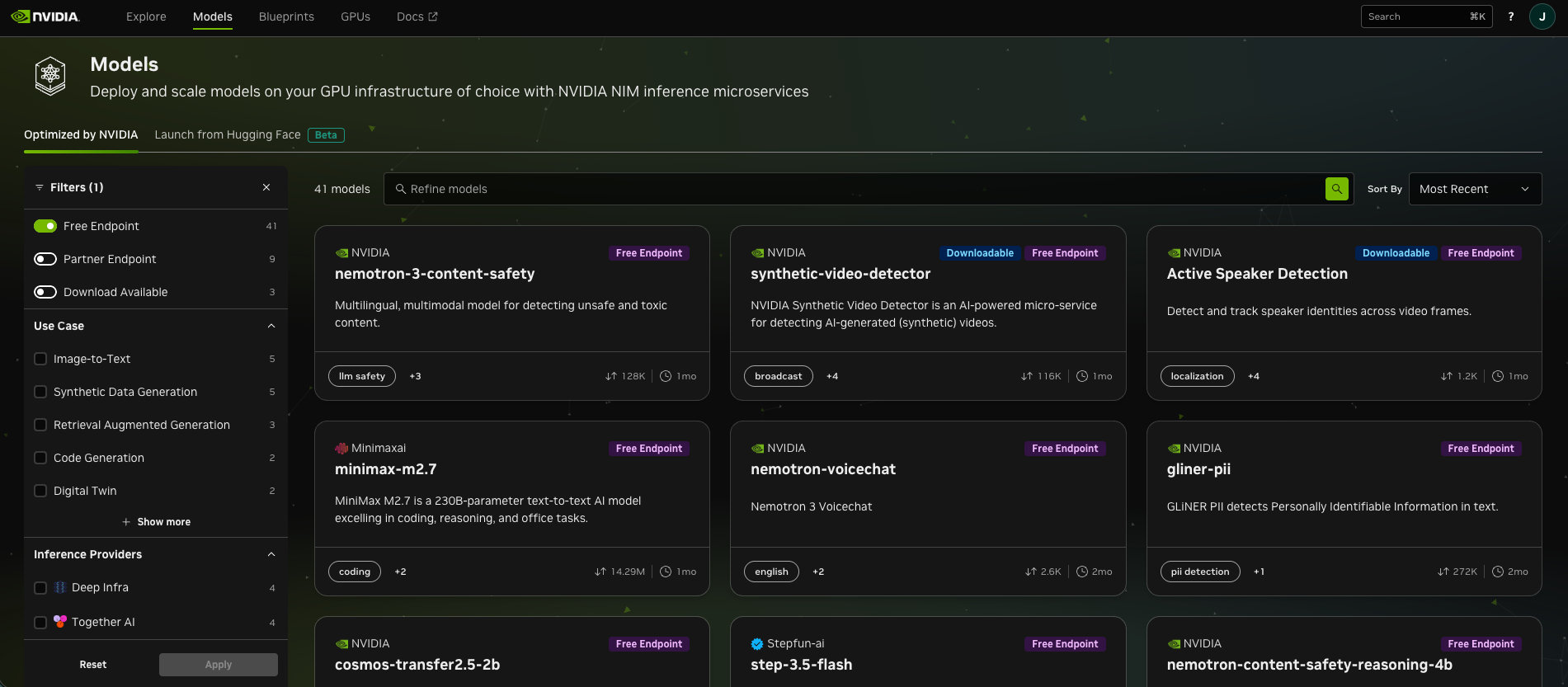
nvidia_nim/... model slug.Pick a model from the NVIDIA free / preview endpoint list. Example model slug: nvidia_nim/minimaxai/minimax-m2.7.
Route C: OpenRouter
OpenRouter is the flexible cloud route. Create an OpenRouter API key if you want to test free or cheap models without running them locally.
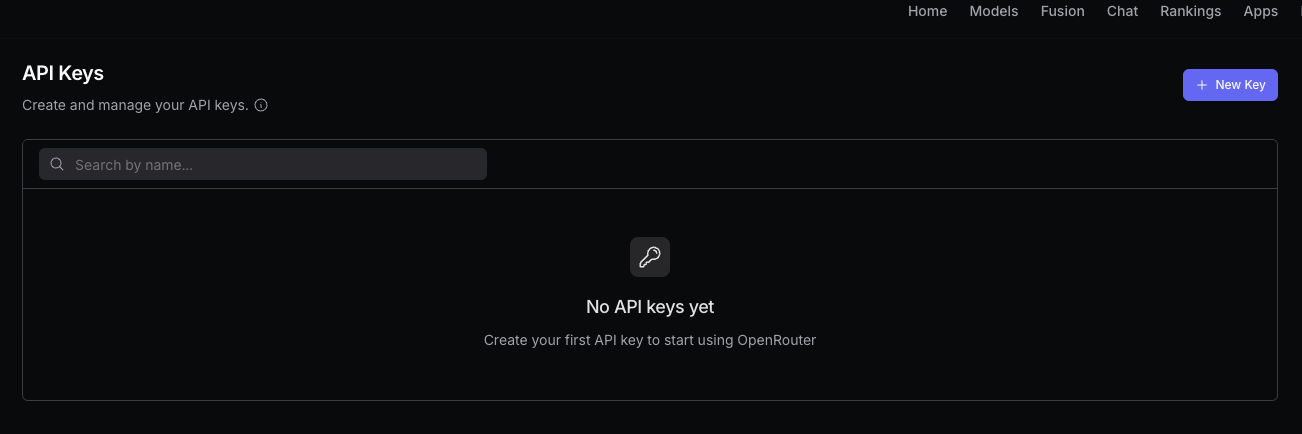
OPENROUTER_API_KEY.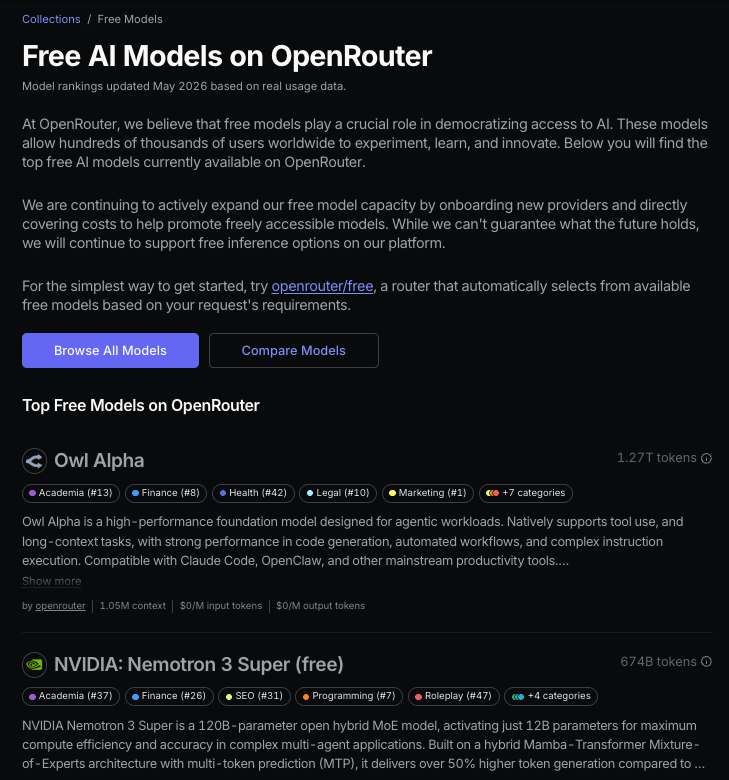
Default Model to an open_router/... slug.Browse OpenRouter free models. Example model slug: open_router/z-ai/glm-4.5-air:free.
Step 4: Fill Model Config
For a normal setup, fill only Default Model. The Opus, Sonnet, and Haiku override fields are optional.
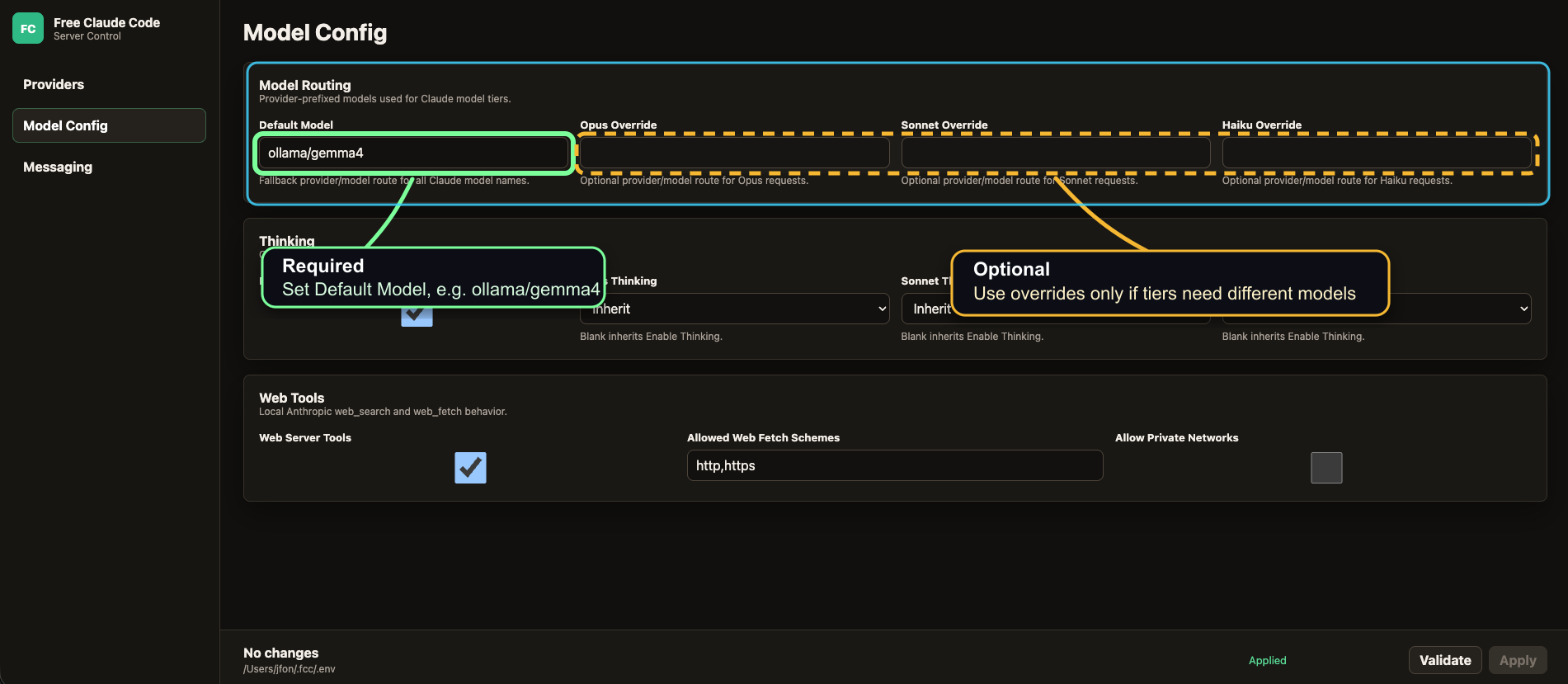
After filling the model, click Validate, then click Apply if validation passes.
Step 5: Launch Claude Code through the proxy
Once the server is running and the model config is applied, launch Claude Code with the Free Claude Code wrapper.
$ fcc-claude
> Claude Code opens with the configured proxy
Final checklist
fcc-serveris still running.- The Admin UI has your provider key or local base URL.
Default Modelhas the correct provider prefix.Validatepasses before you clickApply.fcc-claudelaunches Claude Code through the proxy.
If something fails, check the model slug first. Most setup mistakes are wrong provider prefix, wrong local URL, or a model that does not support the workflow you are trying to run.
What this is doing
Free Claude Code runs a local Anthropic-compatible proxy. Claude Code sends requests to that proxy, and the proxy routes those requests to the provider you configured.
That means you keep the Claude Code workflow, but the model behind it can be Ollama, NVIDIA NIM, OpenRouter, or another supported provider.
This does not give you Anthropic's Claude models for free. You are using the Claude Code interface with a different model behind it.